

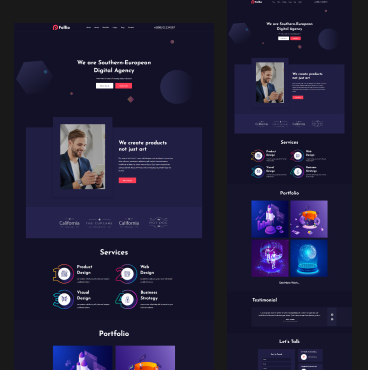
Deciding between Elementor vs custom design is crucial for your brand. This guide compares costs, SEO performance, and scalability to help small businesses choose the most effective web development strategy.
For most small businesses in 2025, Elementor is often the better starting point, while Custom Design is the “gold standard” for those with specific, high-performance needs
Comparison between Elementor vs custom design
| Feature | Elementor (Page Builder) | Custom Design (Hand-coded) |
| Initial Cost | Low to Mid ($500 – $3,000) | High ($5,000 – $20,000+) |
| Speed to Launch | Fast (Days or weeks) | Slow (Months) |
| Ease of Updates | High (Drag-and-drop) | Low (Requires a developer) |
| Performance | Good (Requires optimization) | Elite (Cleanest code possible) |
| Scalability | Moderate (Plugin-dependent) | Unlimited (Tailored to you) |
Elementor: The “Fast & Flexible” Choice
Elementor allows you to build a website visually. It’s a “What You See Is What You Get” (WYSIWYG) tool that sits on top of WordPress. Pros for Small Businesses:
- Cost-Effective: You can build it yourself or hire a freelancer for much less than a custom developer.
- Empowerment: You don’t need to call a developer every time you want to change a price, swap a photo, or add a blog post.
- Speed: You can have a professional-looking site live in a week using high-quality templates.
- Marketing Tools: Built-in features for pop-ups, forms, and landing pages make it a “marketing machine” right out of the box.
Cons:
- Code Bloat: Because it’s designed to do “everything,” it loads extra code that can slightly slow down your site if not optimized.
- Plugin Dependency: You rely on the Elementor team for updates and security
Custom Design: The “Bespoke & High-Performance” Choice
A custom design is built specifically for your brand, often from a blank canvas using code (HTML, CSS, PHP) or a lean theme
Pros for Small Businesses:
- Better Performance (SEO): Custom sites are leaner, meaning they load faster Since speed is a Google ranking factor, this gives you an SEO edge.
- Unique Branding: Your site won’t look like any other template. It is designed around your specific customer journey
- Security: With fewer plugins and “bulky” builders, there are fewer doors open for hackers
Cons:
- The “Golden Handcuffs”: You are often tied to the developer who built it. If you want to change a button color, you may have to pay them for an hour of work.
- High Upfront Investment: Most small businesses find the $5k+ entry price hard to justify in the early stages.
Which one should you choose?
Choose Elementor if…
- You have a budget under $5,000.
- You need to launch quickly.
- You want to manage the content yourself without learning how to code.
- You are a service-based business (plumber, lawyer, consultant) or a local shop.
Choose Custom Design if…
- Your website is your product (e.g., a complex SaaS, a unique marketplace).
- You have a high-traffic site where milliseconds of speed equal thousands of dollars in revenue.
- You have a very specific, unconventional brand identity that templates can’t replicate.
A Pro Tip: The “Hybrid(Elementor vs custom design) ” Approach
Many small businesses now use a Hybrid Approach instead of Elementor vs custom design controversy. They hire a professional designer to build a site using Elementor. This gives you a high-end, custom-looking design, but leaves you with a tool that is easy and cheap for you to maintain long-term.
Would you like me to help you draft a checklist of features you might need for your specific business website?
Have any question?